DaMiao Motor



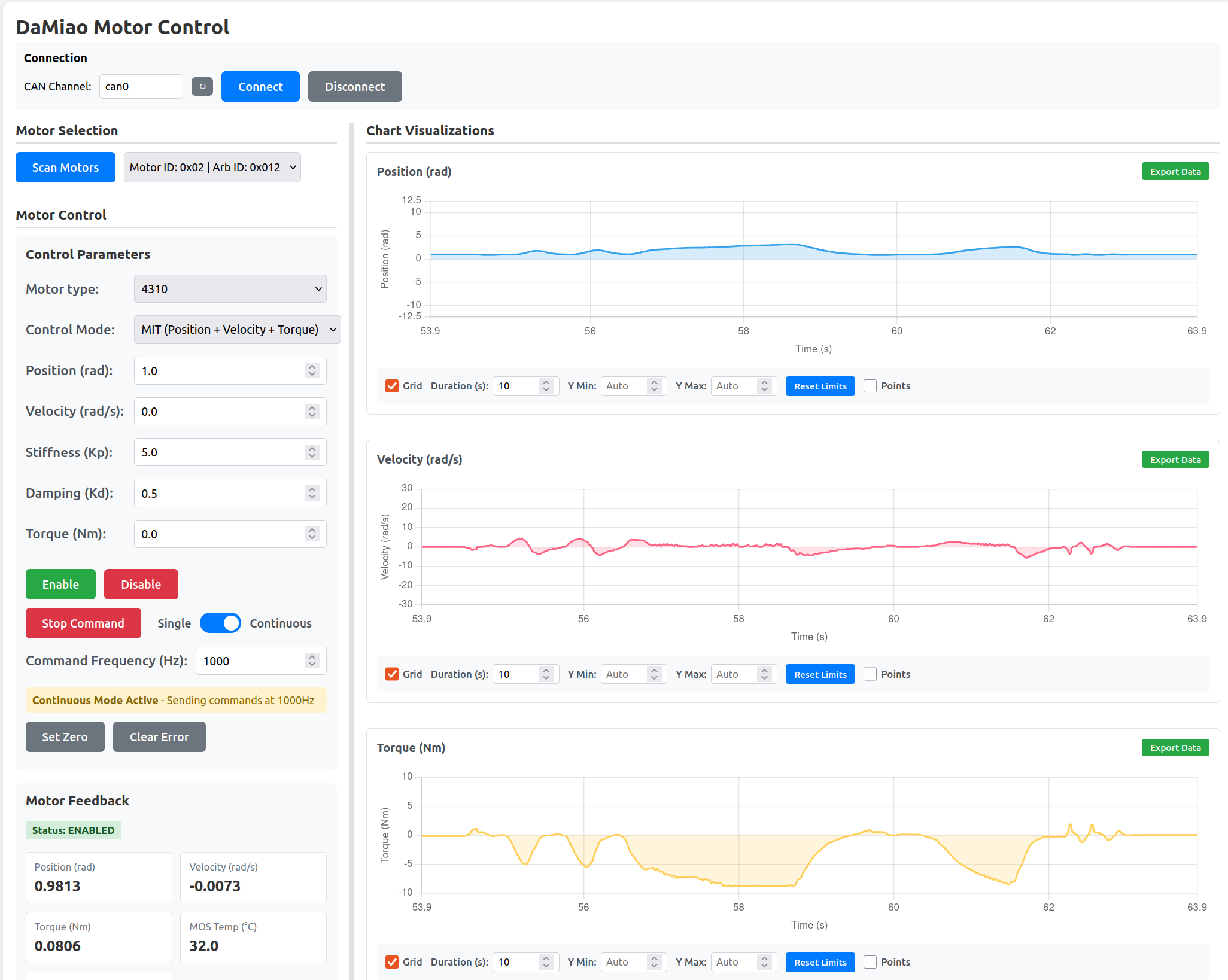
Safety
Commands can move hardware immediately. Use a secure setup and keep clear of moving parts.
What you can do
Use damiao commands to scan, command, and configure motors.
Monitor live position, velocity, torque, and edit writable registers.
Build robust control loops and automate multi-motor workflows.
Understand MIT, POS_VEL, VEL, and FORCE_POS behavior in detail.
Control laws preview
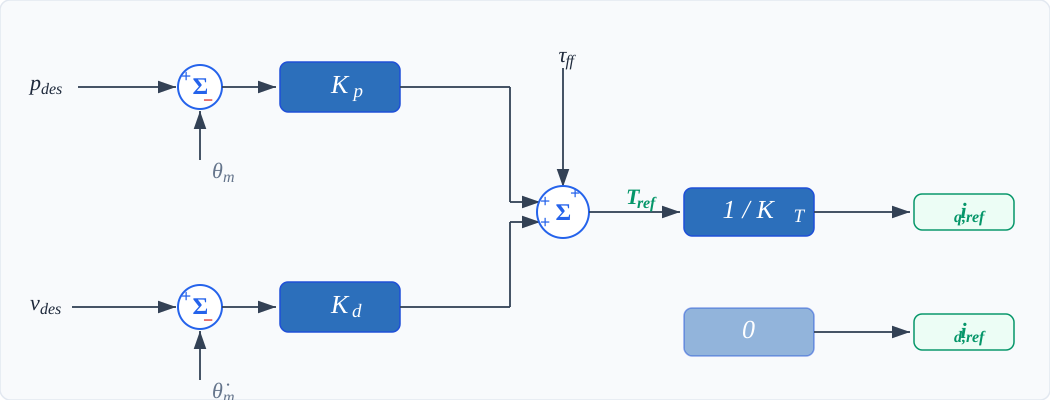
The MIT mode combines position error, velocity error, and feedforward torque:
See all control law diagrams:
Installation
Install from PyPI
Install from source
For latest repository updates:
git clone https://github.com/jia-xie/python-damiao-driver.git
cd python-damiao-driver
pip install -e .
Verify Installation
Then verify CLI availability:
Next steps
- Hardware Setup - CAN interface setup
- Package Tools - Using the CLI tools